The guest list, together.
Send invitation links and collect names, attendance, group sizes, dietary notes and guest messages. Review replies together, with optional RSVP switched on when you need it.
More peace of mind. Less wedding admin.
You already have a wedding to plan. Help guests find their table from a finished seating plan, organise the wedding yourself, or get help preparing the setup and seating. Less admin to carry. A calmer welcome for your guests.
For couples, wedding planners & venues · Arabic & English
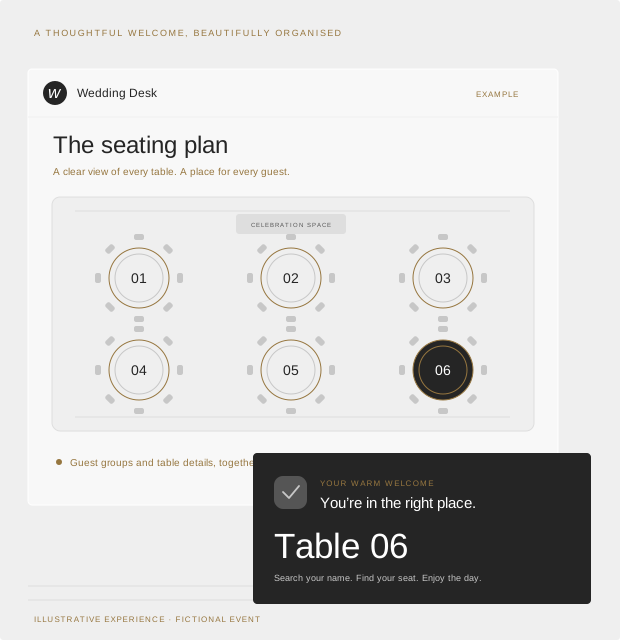
A SMALL TASTE OF THE BIG DAY
THE GUEST EXPERIENCE
A shared link brings guests to your wedding’s invitation and reply page. Explore this fictional example, then follow the journey through planning and arrival.
Interactive illustrations, not live app screens. All details are fictional. Demo changes stay in this page and reset when you reload.

YOU’RE INVITED
We’d love to celebrate with you.
Dear Maya & family,
Join us for an evening of love, laughter and dancing.
Fictional invitation · no real event
YOUR REPLY
Sample reply for Maya Chen
Demo only · nothing is sent or stored
PLANNER VIEW
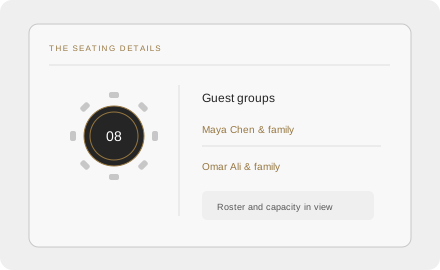
See free seats and try moving Maya’s group.
Illustrative seating · capacity checks included
RECEPTION VIEW
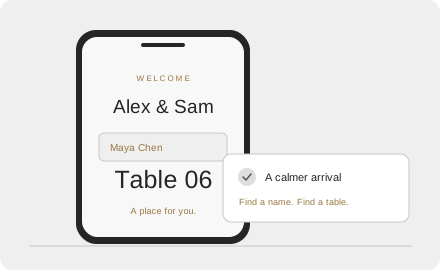
Try checking in a sample guest group.
Sample check-in · resets on page reload
TOGETHER WITH JOY
We're so glad you're here.
ONE CONNECTED EXPERIENCE
Replies scattered across calls and messages, details copied into spreadsheets, and a seating plan that keeps changing. Bring the guest admin together so it is easier to see what needs attention alongside everything else you are planning.
Send invitation links and collect names, attendance, group sizes, dietary notes and guest messages. Review replies together, with optional RSVP switched on when you need it.
See table rosters and available seats together. Assign guest groups and handle last-minute moves with capacity checks, so a change is easier to manage.
Guests scan a QR code at the venue entrance, search for their name and find their own table in Arabic or English. Give your reception team check-in tools to see who's arrived and who's still expected.
LESS ADMIN. MORE CELEBRATION.
Alongside outfits, suppliers, family plans and everything else, guest admin can feel like another event to organise. Wedding Desk gives those details a home and helps reduce repeated work.
When replies are spread across calls and messages, it is easy to end up copying them into another list. Invitation links let guests submit their details, with replies in one place for review. You decide which guests to approve.
Remembering who sits where is harder when plans change. Keep table rosters and free seats in view, with dietary notes and requests close at hand, so changes need less manual cross-checking.
A long guest list at the door can slow the welcome. A displayed QR sign gives guests a way to look up their own table, helping reduce reliance on a manual list while your reception team handles check-in and questions.
YOUR DAY. YOUR WAY.

Your people, your tables, your celebration. Keep guest details and seating organised as the day gets closer.
Plan your day
Bring guest planning and reception details into the same workflow, from reviewing RSVPs to welcoming arrivals.
Explore the workflow
Give your reception team a clearer view of tables, guest groups and arrivals when the doors open.
Talk about your venueYes. RSVP is optional and switched off by default. You can use your existing guest list, seating plan and arrival check-in, and enable RSVP when you need it.
Yes. Wedding Desk includes Arabic and English views, including an Arabic-first guest table finder. We can show you both during your demo.
Follow the journey from sending an invitation link and reviewing guest replies to assigning tables, handling seating changes and printing an entrance QR sign. Tell us whether you're a couple, planner or venue so we can focus on your needs.
Guests can enter dietary requirements and allergies, and use their message to share food preferences, who they would like to sit with, or other special requests. Organisers review these details; requests are not automatically applied to the seating plan.
Choose Find My Table if your seating is complete and you want a guest search link and print-ready QR sign. Choose Self-managed Wedding Desk for tools to organise the event yourself. Choose Assisted Wedding Desk for help with setup and seating preparation, including one review session of up to 60 minutes and one consolidated revision. Select “Help me choose” if you’re unsure.
With Self-managed or Assisted Wedding Desk, you do. Find My Table does not include invitations or RSVP management. With assisted setup, you supply the invitation content and design, share the prepared link and make guest approval decisions. We organise replies and seating around those decisions; guest chasing and bespoke invitation design are not included.
Your selection is carried into the enquiry form. Review it, add your event details, and send your enquiry directly from the website. We discuss the fit and confirm the scope before setup begins. Sending an enquiry does not make a purchase or create an account.
CHOOSE WHAT YOU WANT OFF YOUR PLATE
Wedding Desk brings the guest details into one clear place. If your seating is finished, we can help guests find their table. If you’re still organising, choose tools you manage yourself or help with setup and seating preparation.
01 / YOUR STARTING POINT
Our seating is finished.
Help guests find their table, with less manual searching at the entrance.
02 / YOUR STARTING POINT
We’ll organise it ourselves.
Keep the details together, with the tools to manage your wedding your way.
03 / YOUR STARTING POINT
We’d like help preparing it.
Hand over the agreed setup and seating preparation, while keeping the decisions yours.
THE DETAILS, WHEN YOU NEED THEM
You supply a spreadsheet with guest/group names, party counts and already-assigned table numbers. Includes one import and one correction round; we agree the submission deadline during booking. We supply a wedding-specific search link during service delivery and a digital print-ready QR sign. You arrange printing/display and any door organiser. No RSVP management, invitations, seating decisions, automatic assignment or full-service planning. Physical printing and on-site attendance are not included.
You set up and manage the event, share invitations, review and approve replies, assign seating and handle changes and reception. The app brings those details together; human event setup and assisted seating are not included.
We prepare the event and invitation link using your supplied content and design. You choose invitees and share the link. We organise responses and prepare/manage seating within the agreed setup, using your approved guests, family/group preferences and restrictions. Includes one review session up to 60 minutes and one consolidated revision. You retain organiser access and invitation/approval decisions, and manage the day. Guest chasing, bespoke invitation design, ongoing changes, extra revisions, printing and on-site attendance are not included.
CHOOSE THE SERVICE THAT FITS THE STAGE YOU’RE AT
You retain final guest and seating decisions. Find My Table provides lookup for an already-assigned guest list. Self-managed and Assisted Wedding Desk include organiser access, optional RSVP, seating tools and check-in. You arrange printing and reception support with every option.
Use one row per guest or invited group, with the name guests will search for, the number of people in that party, and its assigned table number. Party count means people, not the number of rows or groups. Supply the file during setup; you don’t need to attach it to your enquiry.
| Guest / group name | Party count | Assigned table |
|---|---|---|
| Maya Chen family | 2 | 6 |
| Omar Ali family | 4 | 8 |
| Jamie Lee | 1 | 10 |
We agree the submission deadline during booking. The service includes one import and one correction round; changes beyond that need a separate agreement.
About name search: guests see matching guest/group results after searching rather than browsing a full guest directory. Name lookup is not identity verification; someone who knows a listed name may be able to find its table.
We start by understanding your event. Tell us your expected guest count and what you would like help with. We’ll discuss the fit and confirm the scope before setup begins. An enquiry does not purchase a package or create an account.
Help me chooseLET'S MAKE ROOM FOR YOUR CELEBRATION
Tell us which service option interests you, or ask for help choosing. We’ll discuss your event and the work you want to manage or hand over.